Trusted IT hardware for Pakistani businesses

Author: rkstechware

  • HP ProDesk 400 G5 SFF in Pakistan: Specs, Upgrades and Buying Guide

    HP ProDesk 400 G5 SFF in Pakistan: Specs, Upgrades and Buying Guide

    HP ProDesk 400 G5 SFF specs make this small form factor business desktop a practical choice for offices, shops and schools in Pakistan that want a tidy, dependable PC at a sensible price. It runs 8th Gen Intel Core processors, uses standard DDR4 desktop memory and has an M.2 slot for a fast SSD. If you are comparing options before you buy, this guide covers the specifications, the upgrades that matter, Windows 11 support and what to check before you order.

    RKS Techware supplies the HP ProDesk 400 G5 SFF desktop PC to customers across Pakistan. Prices depend on the exact configuration, so this guide also explains how to choose the right one and how to get an accurate quote. We list the HP ProDesk 400 G5 SFF specs first, then the processor choices, the upgrades, the Windows 11 position and a comparison with the G4 and G6. Last updated: November 2026.

    HP ProDesk 400 G5 SFF specs at a glance

    These HP ProDesk 400 G5 SFF specs describe the platform. The processor, memory and storage change from one configuration to another, so always confirm the exact unit you are buying.

    Form factorSmall form factor, about 27 x 29.6 x 9.5 cm and roughly 4.6 kg
    Processor8th Gen Intel Core i3, i5 or i7, for example i3-8100, i5-8500 or i7-8700
    ChipsetIntel B360
    GraphicsIntel UHD Graphics 630 (integrated)
    MemoryTwo DIMM slots, DDR4-2666, listed up to 32GB (see the RAM note below)
    Storage options500GB to 2TB SATA hard drive, or an NVMe M.2 SSD, depending on the configuration
    Drive baysTwo internal 2.5-inch or 3.5-inch bays, plus a slim optical drive bay
    ExpansionOne PCIe 3.0 x16 slot and one PCIe 3.0 x1 slot (half-height), one M.2 2230 slot for Wi-Fi, one M.2 2280/2230 slot for storage
    PortsEight USB ports in total (four USB 3.1 Gen 1 and four USB 2.0), DisplayPort, VGA, RJ-45 Ethernet, headset, audio in and audio out
    Power supply180W internal, up to 90% efficient

    A note on memory: spec databases list a maximum of 32GB in the HP ProDesk 400 G5 SFF specs, while HP’s original launch datasheet lists 16GB. If you plan to fit larger modules, ask us to confirm the maximum for the exact unit and BIOS version first.

    The model was launched in 2018, so condition, warranty and the Windows licence matter as much as the raw HP ProDesk 400 G5 SFF specs. A well-kept unit with the right memory and an SSD still gives years of useful office service.
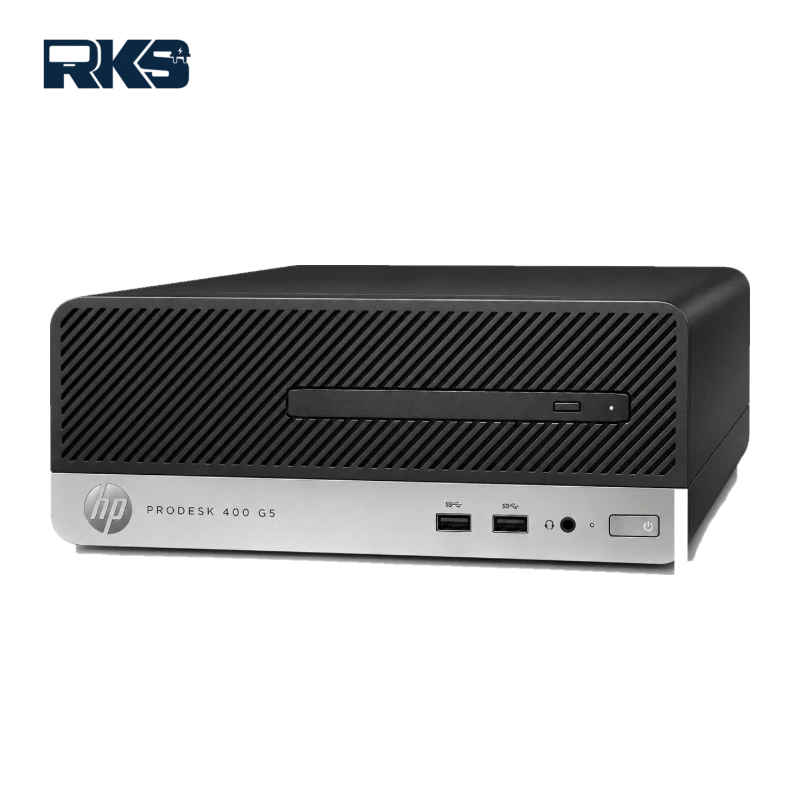
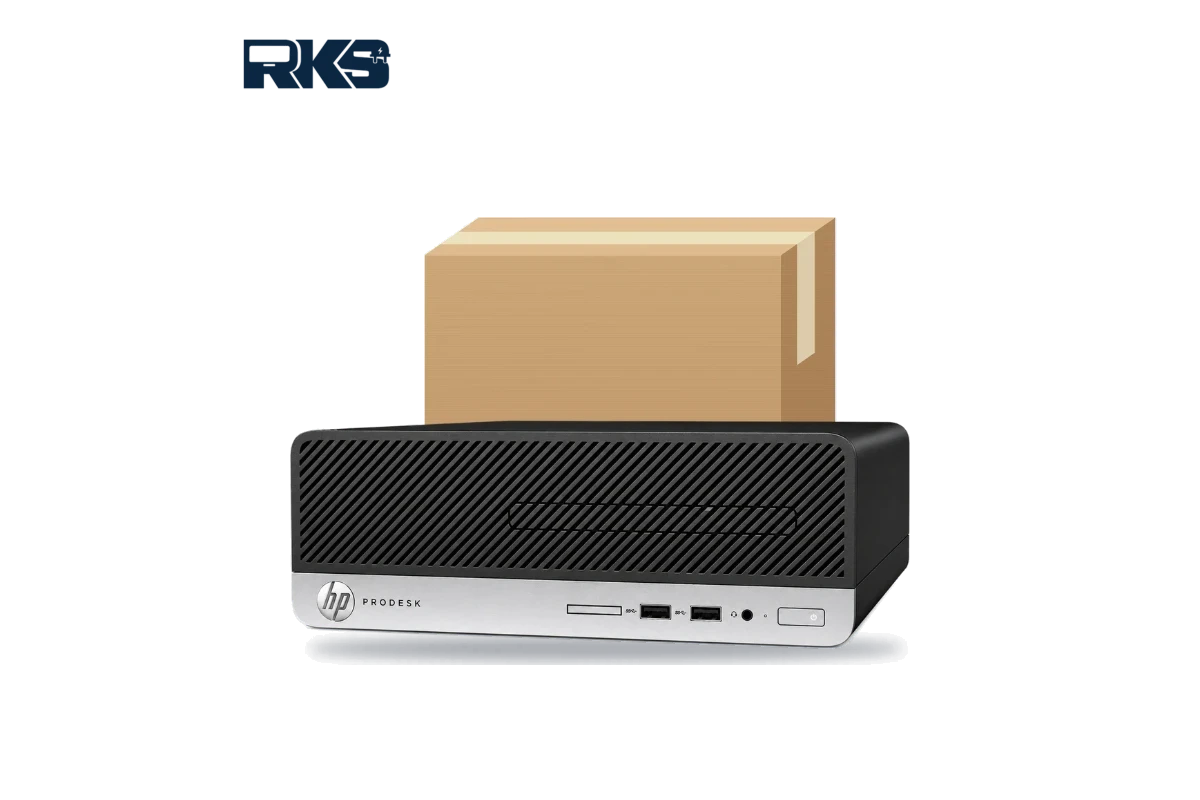
    HP ProDesk 400 G5 SFF specs: front view of the small form factor desktop PC

    Who is the HP ProDesk 400 G5 SFF best for?

    The HP ProDesk 400 G5 SFF specs are a practical choice when you need many reliable desktops without paying for a newer generation. They work well for:

    • Offices and call centres that need identical desktops for staff.
    • Schools, colleges and computer labs that want parts that are easy to find and repair.
    • Shops, showrooms and clinics that run billing, point-of-sale or accounting software.
    • Businesses that are replacing old Windows 10 desktops with a PC that can run Windows 11.
    • Home users who want a quiet, upgradeable family or work computer that fits on a small desk.

    These HP ProDesk 400 G5 SFF specs are not built for heavy gaming or 3D rendering. The integrated graphics and the half-height slots keep it focused on everyday business work.

    Choosing a processor: Core i3, i5 or i7

    The processor is the biggest decision among the HP ProDesk 400 G5 SFF specs, because it is the one part you will not want to change later. Three 8th Gen options are common, and each suits a different kind of work.

    • Core i3-8100: four cores and four threads at 3.6GHz. It is enough for email, browsing, documents, billing software and a few browser tabs open at once.
    • Core i5-8500: six cores and six threads, with a turbo speed up to 4.1GHz. This is the best balance for most offices, because it handles spreadsheets, accounting packages and video calls at the same time.
    • Core i7-8700: six cores and twelve threads, with a turbo speed up to 4.6GHz. Choose it for heavy multitasking, large spreadsheets, light photo editing or a PC that several users share remotely.

    Within the HP ProDesk 400 G5 SFF specs, the i5 is the sweet spot for most buyers. Pair it with 16GB of RAM and an SSD, and the PC stays responsive for years of normal office work.

    Upgrades that improve the HP ProDesk 400 G5 SFF specs: RAM, SSD, graphics and Wi-Fi

    One reason this model stays popular is that the HP ProDesk 400 G5 SFF specs can be improved with low-cost parts. These are the upgrades that make the biggest difference.

    RAM

    The two DIMM slots take standard DDR4-2666 desktop memory. 8GB is the minimum for a comfortable Windows 11 setup, and 16GB is the best choice for most offices. Fill both slots with matching modules so the memory runs in dual-channel mode.

    Buy desktop DIMMs, not laptop SO-DIMMs. If your unit has one 8GB stick, adding a second identical stick is a simple, low-cost way to double the memory and improve speed.

    SSD

    The biggest speed gain comes from moving Windows to an SSD. The board has an M.2 2280/2230 slot for NVMe storage, so you can fit an NVMe drive for the operating system and keep a hard drive or a 2.5-inch SSD for documents and backups.

    A 256GB or 512GB drive is enough for Windows and business software. Start-up, updates and app launches become much quicker than on a hard drive alone. Buy an NVMe drive for this slot, because some M.2 connectors do not accept SATA SSDs.

    Graphics card

    The integrated Intel UHD Graphics 630 handles office software, video calls and HD video. If you want more graphics power, the case has room for a low-profile card, and spec databases list cards such as the GeForce GT 1030 as compatible. Only half-height cards fit, and the 180W power supply limits how powerful the card can be.

    Wi-Fi and Bluetooth

    One of the M.2 slots, the 2230 size, is reserved for a wireless card. Not every unit has Wi-Fi installed, because many offices use a wired network. If you need wireless, ask us to confirm whether a Wi-Fi card is fitted or to add one.

    Does the HP ProDesk 400 G5 SFF support Windows 11?

    Yes. The 8th Gen Intel Core processors in the HP ProDesk 400 G5 SFF specs appear on Microsoft’s list of supported Intel processors for Windows 11. The PC also needs TPM 2.0, Secure Boot and at least 4GB of RAM, so check these in the BIOS before you upgrade.

    In practice, 8GB of RAM and an SSD give the best Windows 11 experience. Windows 10 support has ended, so a supported processor generation is a real advantage for anyone planning to keep the PC for several more years.

    HP ProDesk 400 G5 SFF specs vs G4 and G6

    The 400 series SFF has been updated several times. Here is how the HP ProDesk 400 G5 SFF specs compare with the model before it and the model after it:

    ModelProcessor generationChipsetMemoryWindows 11
    ProDesk 400 G4 SFF7th GenIntel H270DDR4-2400, up to 32GBNot supported by Microsoft
    ProDesk 400 G5 SFF8th GenIntel B360DDR4-2666, listed up to 32GBSupported
    ProDesk 400 G6 SFF8th and 9th GenIntel B360DDR4-2666, up to 64GBSupported

    The G4 uses 7th Gen processors, which Microsoft does not list for Windows 11, so it is a weaker choice for long-term use. The HP ProDesk 400 G5 SFF specs bring an 8th Gen platform, faster DDR4-2666 memory and Windows 11 support, usually at a lower price than the G6.

    The G6 shares the same chipset and adds 9th Gen processor options and a higher memory ceiling of 64GB. If you need that extra headroom, it is worth a look. For most offices, 16GB or 32GB of RAM is already more than enough, which makes the HP ProDesk 400 G5 SFF the better value.

    HP ProDesk 400 G5 SFF or a mini PC or tower?

    The 400 G5 line comes in several shapes: the small form factor (SFF), the Desktop Mini and the microtower. The SFF sits in the middle. It is slimmer than a tower but offers more drive bays, standard desktop memory and PCIe slots than a mini PC.

    If you want the smallest possible footprint, look at the HP EliteDesk 800 G4 Mini PC and read our HP EliteDesk 800 G4 Mini specs and buying guide. If you need more room for drives and full-height expansion cards, compare it with the HP ProDesk 600 G4 MT.

    Check these HP ProDesk 400 G5 SFF specs before you buy

    Because the 400 G5 launched in 2018, condition and warranty matter as much as the HP ProDesk 400 G5 SFF specs and the price. Use this checklist with any seller:

    • The exact processor model, for example i5-8500, not just “Core i5”.
    • RAM size, and whether a free slot is left for upgrades.
    • SSD type and size (NVMe M.2 or SATA), and the size of any extra hard drive.
    • Whether Windows 11 Pro is installed and licensed.
    • Whether Wi-Fi, an optical drive and an SD card reader are included.
    • Condition: new, open-box or refurbished, with the cosmetic grade stated.
    • Warranty length and who handles claims.
    • Ports tested: USB, DisplayPort, VGA, audio and Ethernet.

    Our team confirms these details for the unit you choose before you place an order.

    Common mistakes when buying a business desktop

    Many buyers compare only the processor name and the price. That can lead to disappointment, because two PCs with the same HP ProDesk 400 G5 SFF specs on paper can differ a lot in condition. Avoid these mistakes:

    • Buying a unit with only 4GB of RAM and no plan to upgrade it. Windows 11 runs far better with 8GB or more.
    • Choosing a hard drive when an SSD costs only a little more. The SSD is the upgrade you will notice every day.
    • Ignoring the licence. Ask whether Windows is genuine and which edition is installed.
    • Skipping the warranty details. A short warranty with no clear claim process is a risk for a business PC.
    • Forgetting accessories such as the power cable, keyboard, mouse and monitor cables.

    When you order through RKS Techware, we confirm each of these points for the exact unit, so you know what arrives at your door.

    Power use, noise and maintenance

    Among the HP ProDesk 400 G5 SFF specs, HP lists a 180W internal power supply with efficiency of up to 90%, which keeps power use reasonable for a PC that runs through a full office day. The compact case relies on a single airflow path, so dust is the main enemy.

    A few habits keep the PC healthy for years:

    • Leave a few centimetres of space around the vents, and avoid placing the PC on carpet.
    • Clean the dust from the fan and heatsink every three to six months, or more often in dusty workshops.
    • Update the BIOS and drivers from the HP support site for your exact model.
    • Use a UPS or voltage stabiliser to protect the power supply and the drive from sudden cuts.

    HP ProDesk 400 G5 SFF price in Pakistan

    There is no single price for this model, because the HP ProDesk 400 G5 SFF specs vary by configuration. The main factors are:

    • Processor: i3, i5 or i7.
    • RAM and SSD size.
    • Windows licence and edition.
    • Condition and warranty.
    • Dollar rate and current stock.

    To get an accurate price, tell us the processor, RAM and storage you need. Request a quote for the HP ProDesk 400 G5 SFF, or message us on WhatsApp with your requirements.

    Buying an HP ProDesk 400 G5 SFF in your city

    RKS Techware supplies business PCs to customers across Pakistan. Delivery is arranged with our team after your order is confirmed, and timing and cost depend on your city. Here is how the HP ProDesk 400 G5 SFF fits different areas:

    Karachi

    Karachi offices deal with heat, humidity and dust. A compact PC needs clear airflow, so keep the vents free, keep the unit off the floor and clean the dust out every few months.

    Lahore

    Software houses, agencies and finance teams in Lahore often work on two monitors. The DisplayPort and VGA outputs on the HP ProDesk 400 G5 SFF support a dual-screen desk without an extra graphics card.

    Islamabad and Rawalpindi

    Offices, NGOs and service desks in Islamabad and Rawalpindi usually want tidy desks. The slim case sits flat under a monitor or on a shelf, which keeps counters clear and cabling neat.

    Faisalabad, Multan, Peshawar and other cities

    Power cuts and voltage changes are common in many cities. Pair the PC with a UPS or voltage stabiliser to protect your files and the drive. If you are outside the major cities, message us on WhatsApp and we will check delivery options.

    Setting up your HP ProDesk 400 G5 SFF after delivery

    A few steps help you get the most from the HP ProDesk 400 G5 SFF specs from day one:

    1. Check the unit for damage, then connect the monitor, keyboard, mouse and network cable.
    2. Add any RAM or SSD upgrade before you install or update Windows.
    3. Press F10 at start-up to open the BIOS and check that the processor, memory and drive are detected.
    4. Install Windows updates, then download the latest drivers and BIOS update for your exact model from the HP support site.
    5. Set up a backup, either on an external drive or in the cloud, before you store important files.

    Frequently asked questions about the HP ProDesk 400 G5 SFF specs

    Is the HP ProDesk 400 G5 SFF good for office work?

    Yes. The HP ProDesk 400 G5 SFF specs, with an 8th Gen Intel Core processor, enough RAM and an SSD, handle documents, email, browsing, video calls and business software smoothly.

    Does the HP ProDesk 400 G5 SFF support Windows 11?

    Yes, 8th Gen Intel Core processors are on Microsoft’s supported list. The unit must also have TPM 2.0 and Secure Boot enabled.

    How much RAM do the HP ProDesk 400 G5 SFF specs allow?

    The board has two DDR4-2666 DIMM slots. Spec databases list up to 32GB, while HP’s launch datasheet lists 16GB, so confirm the limit for your unit before buying larger modules.

    Does the HP ProDesk 400 G5 SFF have Wi-Fi?

    It depends on the configuration. The board has an M.2 slot for a wireless card, but many units ship without one, so ask before you order.

    Can the HP ProDesk 400 G5 SFF run two monitors?

    Yes. The HP ProDesk 400 G5 SFF specs include DisplayPort 1.2 and VGA outputs on the rear panel, so two monitors work without extra hardware, as long as you have the right cables.

    How many USB ports does the HP ProDesk 400 G5 SFF have?

    It has eight USB ports in total: four USB 3.1 Gen 1 ports and four USB 2.0 ports, split between the front and rear panels.

    Does the HP ProDesk 400 G5 SFF have a DVD drive?

    Some configurations include a slim 9.5 mm DVD writer. The case has a bay for one, but it is optional, so confirm it when you order.

    Can I install a graphics card in the HP ProDesk 400 G5 SFF?

    Yes, but only a half-height card fits, and the 180W power supply limits how powerful it can be.

    Should I buy a new or refurbished HP ProDesk 400 G5 SFF?

    Both can work well. A refurbished unit is usually the better value, as long as the seller states the condition, tests the ports and gives a clear warranty. Ask for the exact processor, RAM and SSD before you pay.

    How much is the HP ProDesk 400 G5 SFF in Pakistan?

    The price depends on the processor, RAM, storage and Windows licence. Message us on WhatsApp with your requirements and we will quote for your exact specification.

    Get a quote for the HP ProDesk 400 G5 SFF specs you need

    Tell us the processor, RAM, storage and Windows edition you want, and RKS Techware will confirm availability and price. You can view the HP ProDesk 400 G5 SFF product page, or message us on WhatsApp for a quote. If the HP ProDesk 400 G5 SFF specs match what your team needs, we can arrange a set of identical PCs for your office, school or shop.
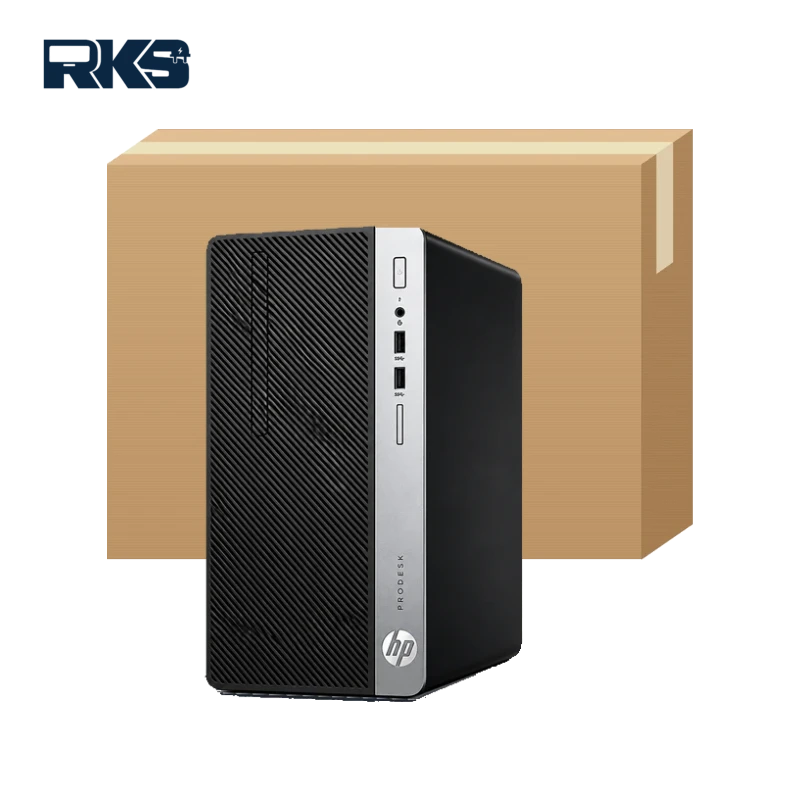
  • HP ProDesk 600 G4 MT in Pakistan: Specs, Upgrades and Buying Guide

    HP ProDesk 600 G4 MT in Pakistan: Specs, Upgrades and Buying Guide

    The HP ProDesk 600 G4 MT is a business microtower desktop built for people who want room to grow. This guide covers the HP ProDesk 600 G4 MT specs, the RAM, SSD and graphics upgrades it supports, Windows 11 compatibility and what to check before you buy in Pakistan.

    RKS Techware supplies business PCs across Pakistan. If you already know what you need, see the HP ProDesk 600 G4 MT desktop PC or message us on WhatsApp with the processor, RAM and SSD you want.

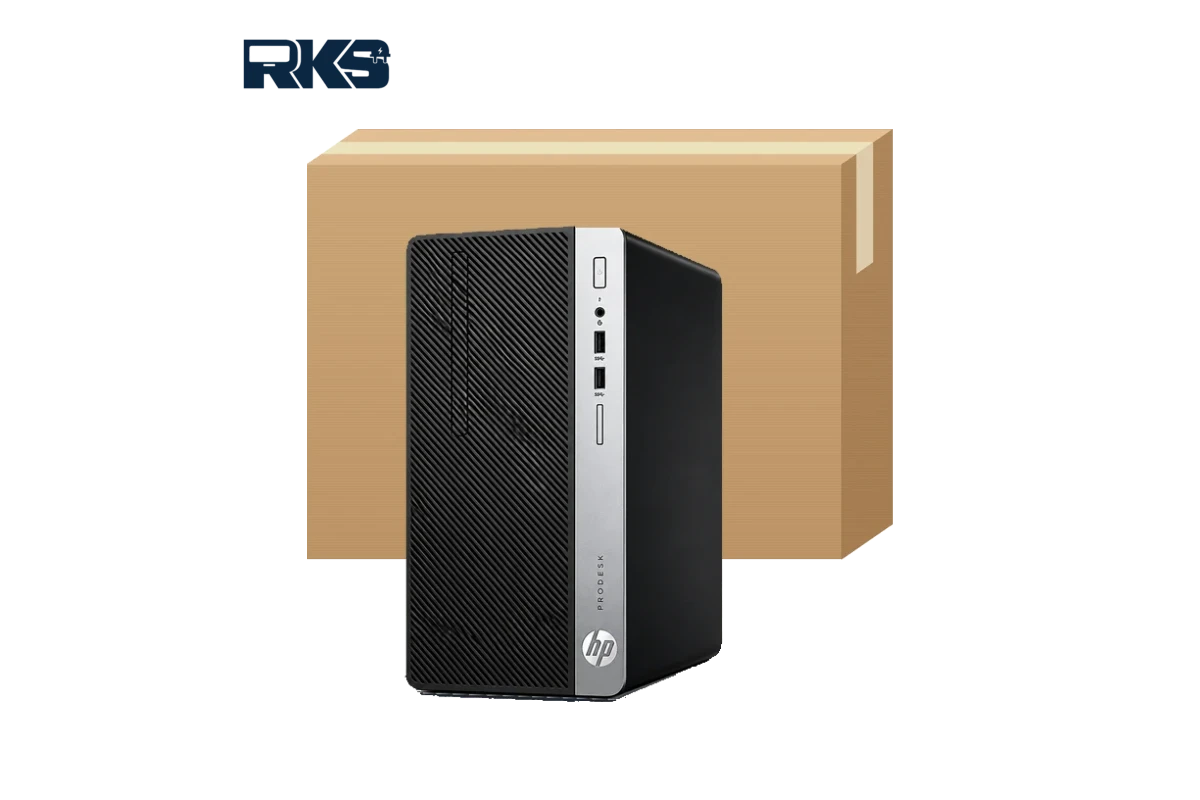
    HP ProDesk 600 G4 MT desktop PC front view with carton box
    Front view
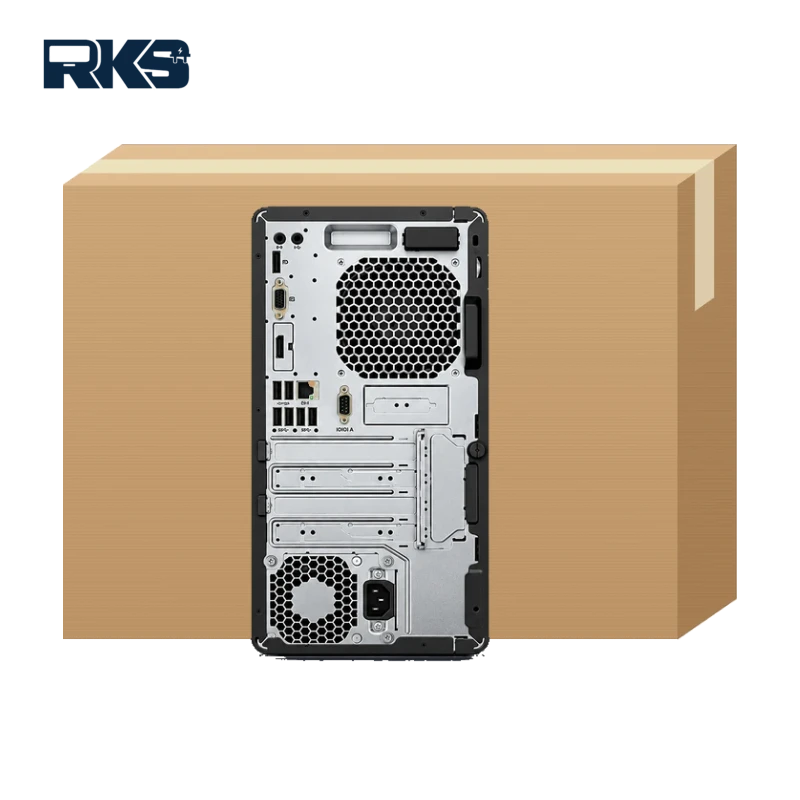
    HP ProDesk 600 G4 MT desktop PC rear ports view with carton box
    Rear view

    HP ProDesk 600 G4 MT specs at a glance

    The ProDesk 600 G4 was sold in many configurations, so the exact processor, memory and storage depend on the unit. This table lists the HP ProDesk 600 G4 MT specs the microtower platform offers.

    FeatureWhat you get
    Form factorMicrotower (MT) business desktop
    Processor8th Gen Intel Core i3, i5 or i7, depending on the configuration
    ChipsetIntel Q370
    GraphicsIntel UHD Graphics 630 (integrated), with room for a graphics card
    MemoryFour DIMM slots, DDR4-2666, up to 64 GB
    StorageOne M.2 PCIe x4 SSD slot, a 3.5-inch bay and a 5.25-inch bay that can also hold two 2.5-inch drives
    ExpansionFour full-height slots; the exact PCIe mix depends on the configuration
    PortsFront and rear USB ports including USB 3.1 Gen 1, a universal audio jack and a rear RJ-45 Ethernet port
    SecurityHP BIOSphere Gen4 firmware protection and HP Client Security Suite Gen 4 on supported configurations
    Size and weightAbout 33.8 cm tall and 27.4 cm deep, around 7.1 kg (varies by configuration)

    HP lists up to 11 USB ports (including one USB Type-C) and up to three video outputs on the microtower, but the exact set depends on the configuration. Always confirm the HP ProDesk 600 G4 MT specs, including ports and video outputs, on the unit you plan to buy.

    Who should buy the HP ProDesk 600 G4 MT?

    The HP ProDesk 600 G4 MT specs suit buyers who want dependable performance and the freedom to upgrade later.

    • Offices and call centres that need many dependable desktops with the same setup.
    • Schools, colleges and computer labs that want easy upgrades and simple repairs.
    • Shops, showrooms and clinics that run billing, point-of-sale or accounting software.
    • Home users who want a quiet, upgradeable family or work computer.

    It is not the best choice for heavy gaming or professional 4K video work without a graphics card. If desk space is tight, a mini PC may suit you better (see the comparison below).

    HP ProDesk 600 G4 MT upgrades: RAM, SSD and graphics

    RAM

    The HP ProDesk 600 G4 MT specs include four DIMM slots that take DDR4-2666 memory up to 64 GB. For Windows 11, 8 GB is the practical minimum and 16 GB is a comfortable choice for most offices. Fit memory in matched pairs so the PC can run in dual-channel mode.

    SSD and storage

    Use the M.2 NVMe slot for Windows and programs, then add a 3.5-inch hard drive or 2.5-inch SSDs for files and backups. The 5.25-inch bay can also hold two 2.5-inch drives, which suits a small office file store. An SSD makes the biggest difference to boot time and everyday speed.

    Graphics cards and expansion slots

    The built-in Intel UHD Graphics 630 handles office work, web browsing and video playback. If you need more monitors or light creative work, the full-height slots let you add a graphics card, a network card or extra ports. Check the power supply rating and the card’s power needs first.

    Processor

    Processor upgrades depend on BIOS support and the power supply, so it is safer to pick the Core i3, i5 or i7 you need when you buy instead of planning to swap it later.

    Does the HP ProDesk 600 G4 MT support Windows 11?

    In most cases, yes. 8th Gen Intel Core processors appear on Microsoft’s list of supported Intel processors, and an HP Support Community answer says the ProDesk 600 G4 meets Microsoft’s minimum hardware requirements for Windows 11.

    Microsoft’s Windows 11 requirements include a 64-bit processor with two or more cores, 4 GB of RAM, 64 GB of storage, UEFI firmware with Secure Boot and TPM 2.0. Before you upgrade, check that TPM 2.0 and Secure Boot are turned on in the BIOS and back up your files. Windows 10 reached end of support in October 2025, so a Windows 11-ready PC is the safer choice for business use.

    For smooth everyday use, pair Windows 11 with at least 8 GB of RAM and an SSD. Both fit comfortably within the HP ProDesk 600 G4 MT specs.

    HP ProDesk 600 G4 MT or a mini PC?

    Choose the microtower when you want to expand later, because the HP ProDesk 600 G4 MT specs favour upgrades, and a mini PC when space is the priority. Our HP EliteDesk 800 G4 Mini guide covers the small option in detail, and you can view the HP EliteDesk 800 G4 Mini PC in our shop.

    FeatureHP ProDesk 600 G4 MTHP EliteDesk 800 G4 Mini
    SizeTower, needs desk or floor spaceVery small, saves desk space
    MemoryFour DIMM slots, up to 64 GBTwo SO-DIMM slots, up to 32 GB
    Add-in cardsFull-height expansion slotsNo standard expansion slots
    Best forUpgrades, extra drives and graphics cardsTight desks and tidy offices

    What to check before you buy an HP ProDesk 600 G4 MT

    • Processor: Core i3, i5 or i7 (8th Gen).
    • RAM size, speed and free DIMM slots.
    • Storage type and size: M.2 NVMe SSD, SATA SSD or hard drive.
    • Windows licence and edition.
    • Optical drive, video ports and any added cards.
    • Power supply rating, if you plan to add a graphics card.
    • Condition, warranty and current stock.

    Ask for the exact model number and photos of the unit, and write down the HP ProDesk 600 G4 MT specs you are offered so you can compare quotes fairly.

    HP ProDesk 600 G4 MT price in Pakistan

    There is no single price for this model because it is sold in many configurations. The main factors are:

    • Processor: i3, i5 or i7.
    • RAM and SSD size.
    • Windows licence and edition.
    • Condition and warranty.
    • Dollar rate and current stock.

    Instead of a fixed number, we quote for the HP ProDesk 600 G4 MT specs you choose. Request a quote for the HP ProDesk 600 G4 MT or message us on WhatsApp with the processor, RAM and SSD you need.

    Buying an HP ProDesk 600 G4 MT in your city

    RKS Techware supplies business PCs to customers across Pakistan. Delivery is arranged with our team after your order is confirmed, and timing and cost depend on your city. Here is how the HP ProDesk 600 G4 MT fits different areas. You can also use our contact page to ask about your city.

    HP ProDesk 600 G4 MT in Karachi

    Karachi offices deal with heat, humidity and dust. A tower has more internal space and airflow than a small PC, so it is easy to open and clean. Keep the vents clear and the case off the floor. Where power cuts are common, plan a UPS that suits the PC and monitor.

    HP ProDesk 600 G4 MT in Lahore

    Software houses, agencies and finance teams in Lahore often work on two monitors and run many programs at once. Choose 16 GB of RAM and an SSD, and add a graphics card if you need more video outputs. The four DIMM slots leave room to add memory as your team grows.

    HP ProDesk 600 G4 MT in Islamabad and Rawalpindi

    Offices, schools and small businesses in the twin cities often buy several identical PCs at once. Standardise on one configuration so drivers, images and spare parts are the same on every desk, and ask for a bulk quote.

    HP ProDesk 600 G4 MT in Faisalabad, Multan, Peshawar and other cities

    Billing, inventory and accounting work in shops, workshops and trading offices needs reliability more than a high-end processor. A Core i5 with 8 to 16 GB of RAM and an SSD is a sensible start, and the spare drive bays leave space for a local backup disk. Message us your city on WhatsApp for delivery details.

    Frequently asked questions about the HP ProDesk 600 G4 MT

    Is the HP ProDesk 600 G4 MT good for office work?

    Yes. An 8th Gen Intel Core processor with enough RAM and an SSD handles documents, email, browsing, video calls and business software smoothly. It is not aimed at gaming or heavy design work unless you add a graphics card.

    How much RAM can the HP ProDesk 600 G4 MT take?

    Up to 64 GB of DDR4-2666 in four DIMM slots. We suggest 8 GB as the minimum for Windows 11, and 16 GB is comfortable for most business use.

    Can I add an SSD to the HP ProDesk 600 G4 MT?

    Yes. It has one M.2 PCIe x4 slot, plus a 3.5-inch bay and a 5.25-inch bay that can hold two 2.5-inch drives, so you can combine a fast SSD with extra storage.

    Can the HP ProDesk 600 G4 MT run Windows 11?

    In most cases, yes. 8th Gen Intel Core processors are on Microsoft’s supported list. Check that TPM 2.0 and Secure Boot are turned on before you upgrade.

    Can I install a graphics card in the HP ProDesk 600 G4 MT?

    The microtower has full-height expansion slots, so a graphics card can be fitted. Check the power supply rating and the card’s power requirement first.

    How do I get the HP ProDesk 600 G4 MT price in Pakistan?

    Send us the processor, RAM and SSD you need on WhatsApp and we will quote for that configuration.

    Ready to order? Tell us the HP ProDesk 600 G4 MT specs you need, including processor, RAM and SSD, and we will send a quote.

  • HP EliteDesk 800 G4 Mini in Pakistan: Specs, Upgrades and Buying Guide

    HP EliteDesk 800 G4 Mini in Pakistan: Specs, Upgrades and Buying Guide

    The HP EliteDesk 800 G4 Mini is one of the most popular compact business PCs for offices in Pakistan. It packs an 8th Gen Intel Core processor, DDR4 memory and M.2 SSD support into a chassis that weighs about 1 kg and can sit behind a monitor. If you are looking for a mini PC for office use in Pakistan, this guide covers the HP EliteDesk 800 G4 Mini specs, the upgrades that matter, Windows 11 support and what to check before you buy.

    RKS Techware supplies the HP EliteDesk 800 G4 Mini PC to customers across Pakistan. Prices depend on the exact configuration, so this guide also explains how to choose the right one and how to get an accurate quote. We list the HP EliteDesk 800 G4 Mini specs first, then the upgrades, the Windows 11 position and the G5 and G6 comparison. Last updated: November 2026.

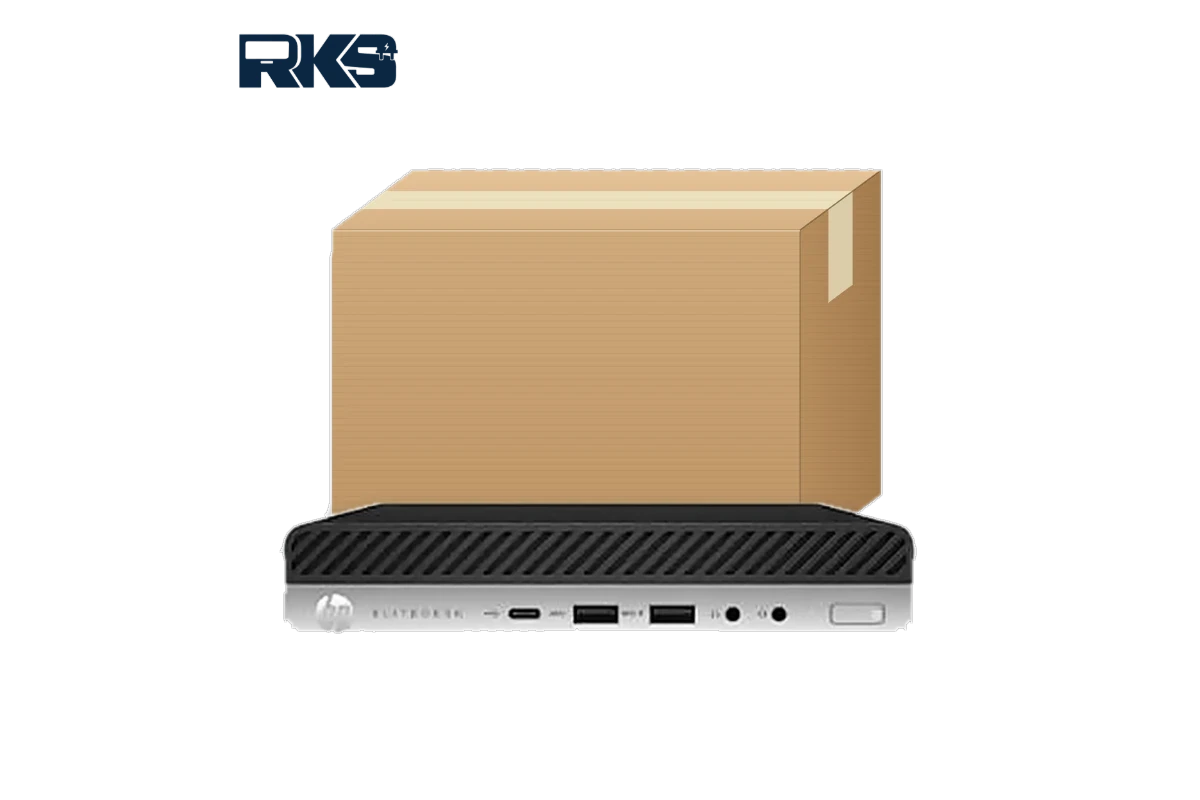
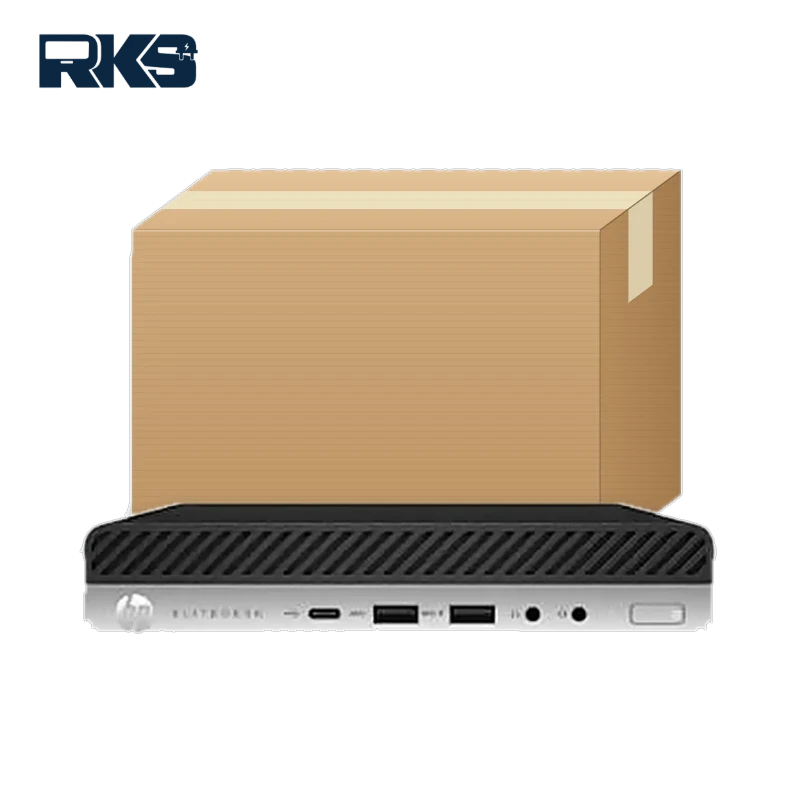
    HP EliteDesk 800 G4 Mini PC 8th Gen Intel Core - front view with carton box
    HP EliteDesk 800 G4 Mini specs: the front panel has USB-C, USB-A and headset jacks.

    HP EliteDesk 800 G4 Mini specs at a glance

    These HP EliteDesk 800 G4 Mini specs describe the platform. The exact processor, memory, storage and operating system differ from unit to unit, so always confirm the configuration before you order.

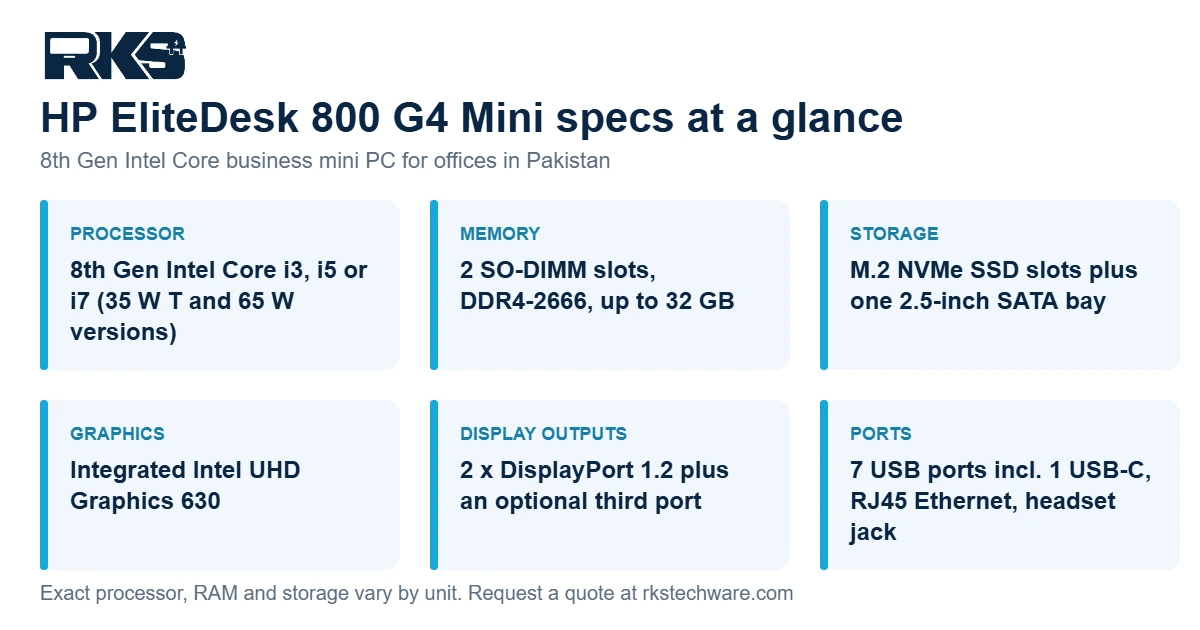
    HP EliteDesk 800 G4 Mini specs at a glance: processor, memory, storage, graphics, display outputs and ports
    HP EliteDesk 800 G4 Mini specs summary. The exact configuration varies by unit.
    FeatureDetails
    Form factorDesktop Mini (micro PC), about 1 kg, released in 2018
    Processor8th Gen Intel Core i3, i5 or i7, in 35 W “T” and 65 W versions
    ChipsetIntel Q370
    GraphicsIntegrated Intel UHD Graphics 630
    Memory2 SO-DIMM slots, DDR4-2666, up to 32 GB
    StorageM.2 slots for NVMe SSDs plus one 2.5-inch SATA bay
    Display outputs2 x DisplayPort 1.2, plus an optional third port (HDMI, VGA, DisplayPort or USB-C depending on the unit)
    USB and network7 USB ports including 1 USB-C (USB 3.1), RJ45 Ethernet, headphone and headset jacks
    PowerExternal power adapter (65 W is common, higher on some configurations)
    SecurityHP Sure Start Gen4 BIOS protection
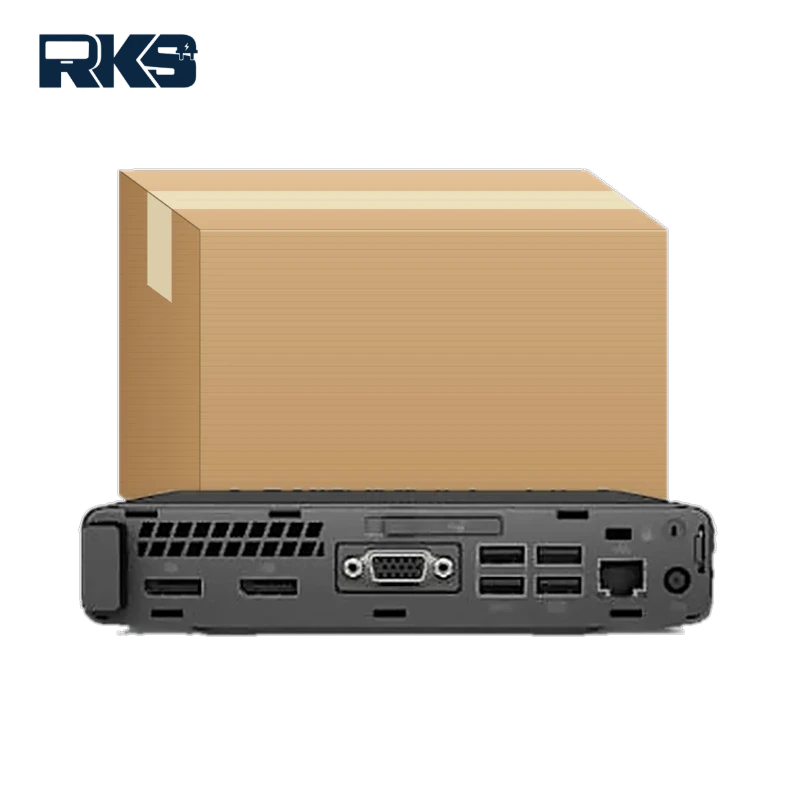
    HP EliteDesk 800 G4 Mini specs: rear view showing the video, USB and Ethernet ports
    Rear view: video outputs, USB ports and Ethernet.

    Who is the HP EliteDesk 800 G4 Mini best for?

    It suits anyone who needs a reliable, space-saving desktop for everyday work:

    • Office and accounts staff who run browsers, Microsoft Office, ERP or web-based software.
    • Reception desks, call centres and service counters where desk space is limited.
    • Schools and training rooms that need several identical small PCs.
    • Dual-monitor workstations using the two DisplayPort outputs.
    • Home offices that want a quiet, low-power desktop.

    It is not meant for gaming, 3D rendering or heavy video editing. The graphics are integrated, so those jobs need a workstation or a tower with a dedicated graphics card. If you need more power, browse our office desktop computers.

    Need more room to expand than a mini PC offers? See our HP ProDesk 600 G4 MT specs and buying guide for a tower with four DIMM slots and full-height expansion slots.

    Upgrades that improve the HP EliteDesk 800 G4 Mini specs: RAM, SSD and processor

    RAM

    The Mini uses laptop-size SO-DIMM memory (DDR4-2666) in two slots and supports up to 32 GB. For Windows 11 and everyday office work, 8 GB is the minimum, 16 GB is the comfortable choice, and 32 GB only makes sense for heavy multitasking, virtual machines or very large spreadsheets.

    SSD

    An SSD makes the biggest difference to day-to-day speed. Use an M.2 NVMe SSD for the operating system and programs. 256 GB is enough for a basic office PC, 512 GB leaves room for documents and software, and 1 TB suits people who keep large files on the machine. The 2.5-inch SATA bay can hold a second drive for backups or archives.

    Processor: T or non-T?

    Models ending in T, such as the i5-8500T, run at 35 W and stay cooler and quieter. Models without the letter, such as the i5-8500, run at 65 W and give a little more speed under load. For most offices the T series is the better balance. For heavier workloads, choose the non-T model.

    Does the HP EliteDesk 800 G4 Mini support Windows 11?

    Yes, when it has an 8th Gen Intel Core processor. Microsoft’s list of supported Intel processors includes the 8th Gen Core i5 and i7 families, and the PC also needs TPM 2.0 and Secure Boot turned on in the BIOS. Windows 10 reached end of support in October 2025, so a licensed Windows 11 Pro installation is the safer choice for any office PC bought today. Ask us to confirm the operating system and licence that come with your unit.

    HP EliteDesk 800 G4 Mini specs vs G5 and G6

    All three share the same compact design, so the choice comes down to processor generation, memory limits and budget.

    ModelYearProcessorMemory
    EliteDesk 800 G4 Mini20188th Gen Intel CoreDDR4-2666, up to 32 GB
    EliteDesk 800 G5 Mini20199th Gen Intel CoreDDR4-2666, up to 64 GB
    EliteDesk 800 G6 Mini202010th Gen Intel CoreDDR4-2933, up to 64 GB

    The G4 is the value pick. It is the oldest model in the series that meets the Windows 11 hardware requirements, and it usually costs less than the newer generations. Choose a G5 or G6 if you want a newer processor, more memory headroom or a longer service life.

    Check these HP EliteDesk 800 G4 Mini specs before you buy

    The 800 G4 launched in 2018, so condition and warranty matter as much as price. Use this checklist with any seller:

    1. The exact processor model (for example i5-8500T or i5-8500), not just “Core i5”.
    2. RAM size, and whether a free slot is left for upgrades.
    3. SSD type and size (NVMe M.2 or SATA).
    4. Whether Windows 11 Pro is installed and licensed.
    5. Condition: new, open-box or refurbished, with the cosmetic grade stated.
    6. An original power adapter with the right wattage for the processor.
    7. Warranty length and who handles claims.
    8. Ports tested: DisplayPort outputs, USB and Ethernet.

    Our team confirms these details for the unit you choose before you place an order.

    HP EliteDesk 800 G4 Mini price in Pakistan

    There is no single price for this model, because it is sold in many configurations. The main factors are:

    • Processor: i3, i5 or i7, and T or non-T.
    • RAM and SSD size.
    • Windows licence and edition.
    • Condition and warranty.
    • Dollar rate and current stock.

    Instead of a fixed number, we quote for the HP EliteDesk 800 G4 Mini specs you choose. Request a quote for the HP EliteDesk 800 G4 Mini, or message us on WhatsApp with the processor, RAM and SSD you need.

    Buying an HP EliteDesk 800 G4 Mini in your city

    RKS Techware supplies business PCs to customers across Pakistan. Delivery is arranged with our team after your order is confirmed, and timing and cost depend on your city. Here is how the Mini fits different areas:

    Karachi

    Karachi offices deal with heat, humidity and dust. A mini PC with clear airflow and a T-series processor runs cooler. Keep the vents clean and keep the unit off the floor.

    Lahore

    Software houses, agencies and finance teams in Lahore often work on two monitors. The Mini’s two DisplayPort outputs support a dual-screen desk without an extra graphics card.

    Islamabad and Rawalpindi

    Offices, NGOs and service desks in Islamabad and Rawalpindi usually want tidy desks. The small footprint, and the option to mount the PC behind a compatible monitor, keep cabling neat and counters clear.

    Faisalabad, Multan, Peshawar and other cities

    A mini PC draws far less power than a full tower, so it is easy to protect with a small UPS during outages and voltage swings. Message us your city and requirement, and we will confirm availability and delivery time.

    Frequently asked questions about the HP EliteDesk 800 G4 Mini

    Is the HP EliteDesk 800 G4 Mini good for office work?

    Yes. With an i5 processor, 16 GB of RAM and an SSD it handles browsers, Microsoft Office, accounting and ERP software, video calls and multiple monitors comfortably. It is not designed for gaming or heavy design work.

    Does the HP EliteDesk 800 G4 Mini support Windows 11?

    Yes. Models with an 8th Gen Intel Core processor meet the Windows 11 processor requirement, provided TPM 2.0 and Secure Boot are enabled in the BIOS.

    How much RAM do the HP EliteDesk 800 G4 Mini specs allow?

    It has two SO-DIMM slots for DDR4-2666 memory and supports up to 32 GB (2 x 16 GB).

    Do the HP EliteDesk 800 G4 Mini specs include an HDMI port?

    Not as standard. It has two DisplayPort outputs, and some units include an optional third port such as HDMI, VGA or USB-C. A low-cost DisplayPort-to-HDMI adapter works with HDMI monitors.

    Can the HP EliteDesk 800 G4 Mini run two or three monitors?

    Yes. The two DisplayPort outputs drive two monitors, and units fitted with the optional video port can drive a third.

    How can I get the HP EliteDesk 800 G4 Mini price in Pakistan?

    The price depends on the processor, RAM, SSD, Windows licence, condition and warranty. Send your required configuration to RKS Techware on WhatsApp and we will reply with a quote.

    Do you deliver the HP EliteDesk 800 G4 Mini to Karachi, Lahore and Islamabad?

    Delivery is arranged with our team once your order is confirmed, and timing and cost depend on your city. Message us your city and requirement and we will confirm.

    Get a quote for the HP EliteDesk 800 G4 Mini specs you need

    Tell us the processor, RAM, SSD and quantity you need, and your city. We will reply with a quote and the current stock position. You can also contact our team or see the product page for the HP EliteDesk 800 G4 Mini PC.