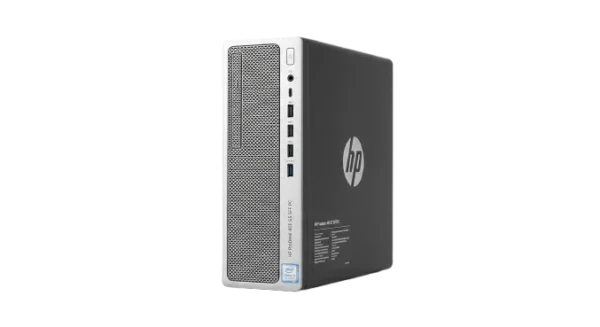
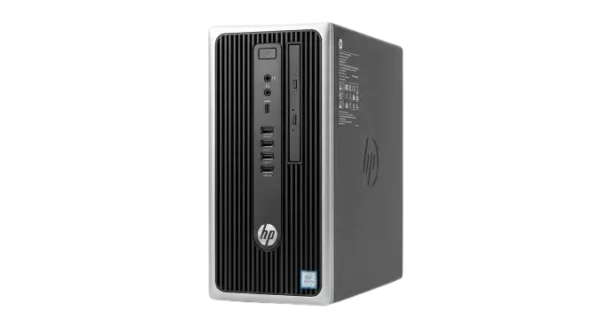
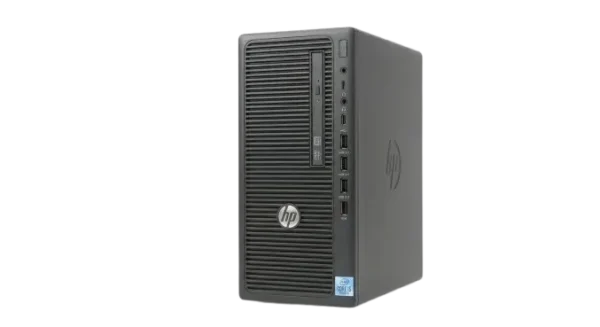
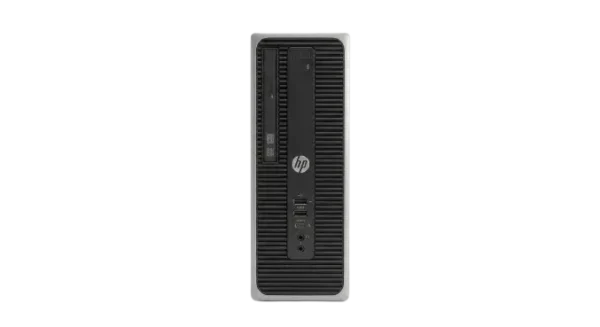
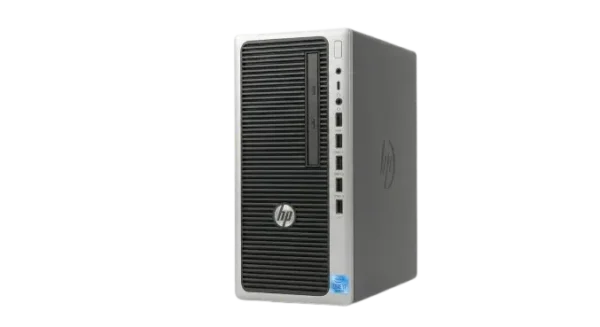
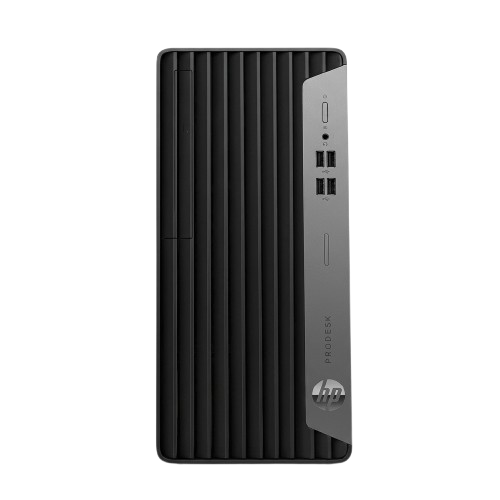
The HP ProDesk 400 G5 SFF is a small form factor business desktop powered by 8th Gen Intel Core processors. It is built for offices, schools, shops and home workstations in Pakistan that need a compact, dependable PC with room to upgrade memory and storage later instead of replacing the whole computer.
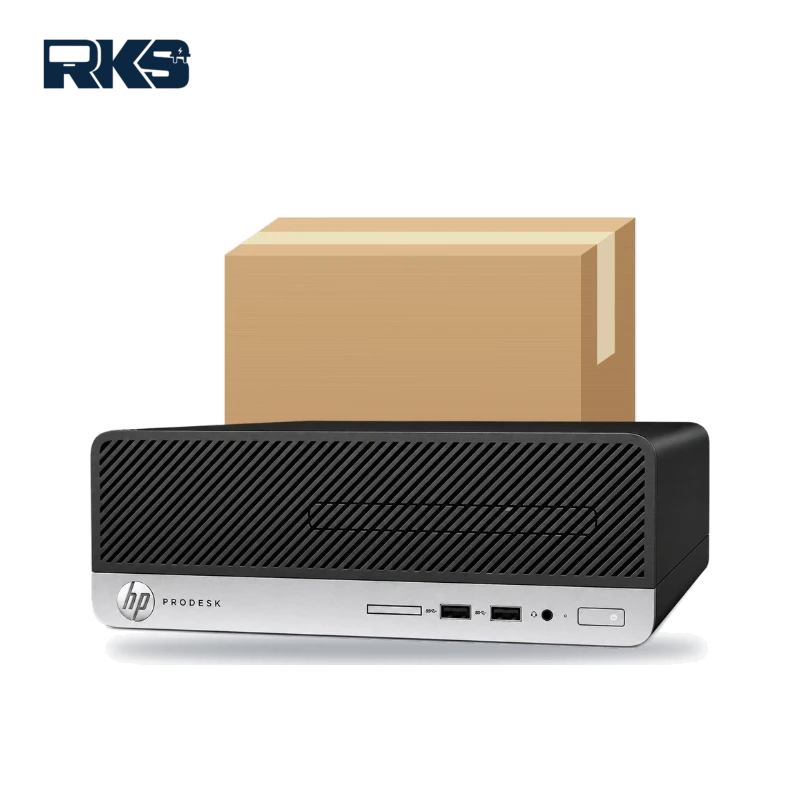
Key features of the HP ProDesk 400 G5 SFF
- 8th Gen Intel Core processor (Core i3, i5 or i7, depending on the configuration) on the Intel B360 chipset
- Intel UHD Graphics 630 with DisplayPort 1.2 and VGA video outputs
- Two DIMM slots for DDR4-2666 memory, expandable up to 32GB
- One M.2 slot for an NVMe SSD, plus bays for a 3.5-inch drive or two 2.5-inch drives
- A PCIe x16 slot and a PCIe x1 slot for network cards or extra ports
- Front SD card reader, two front USB 3.1 Gen 1 ports, a headset jack and rear RJ-45 Ethernet
Processor, RAM and storage depend on the configuration in stock. Message us on WhatsApp to get the current configuration and price of the HP ProDesk 400 G5 SFF before you order.
HP ProDesk 400 G5 SFF specifications at a glance
| Model |
HP ProDesk 400 G5 SFF (small form factor desktop) |
| Processor |
8th Gen Intel Core i3, i5 or i7, depending on the configuration |
| Chipset |
Intel B360 |
| Graphics |
Intel UHD Graphics 630 (integrated) |
| Memory |
Two DIMM slots, DDR4-2666, up to 32GB |
| Storage |
One M.2 2230/2280 slot, plus bays for one 3.5-inch or two 2.5-inch drives |
| Expansion |
One PCIe x16 slot, one PCIe x1 slot (half-height) and one M.2 slot for WLAN |
| Front ports |
Two USB 3.1 Gen 1, headset connector, SD card reader |
| Rear ports |
DisplayPort 1.2, VGA, RJ-45, two USB 3.1 Gen 1, four USB 2.0, audio in and audio out |
| Power supply |
180W internal |
| Operating system |
Windows 11 or Windows 10, depending on the licence supplied |
Why choose the HP ProDesk 400 G5 SFF
The HP ProDesk 400 G5 SFF gives you a full desktop PC in a slim case that fits under a monitor, on a shelf or on a crowded reception desk. It uses standard desktop memory, normal 3.5-inch or 2.5-inch drives and a real M.2 SSD slot, so upgrades are simple and parts are easy to find.
It handles documents, email, browsing, video calls, accounting software and point-of-sale systems without trouble when it has enough RAM and an SSD. Offices that need many identical computers, schools that equip labs and shops that want a dependable back-office PC all get good value from it.
It is not a gaming or 3D rendering machine, because the graphics are integrated and the case only takes half-height cards. For standard business use, the HP ProDesk 400 G5 SFF gives you a modern 8th Gen platform that you can improve as your needs grow.
Upgrade options
- RAM: two DDR4-2666 slots, up to 32GB. 8GB is the minimum for Windows 11 and 16GB is a comfortable choice for most offices.
- Storage: use the M.2 NVMe SSD slot for Windows and programs, and add a hard drive or 2.5-inch SSD for extra capacity.
- Expansion: a PCIe x16 slot and a PCIe x1 slot for network cards, extra ports or a low-profile graphics card, depending on the unit.
Who should buy the HP ProDesk 400 G5 SFF
- Offices and call centres that need many dependable desktops with the same setup.
- Schools, colleges and computer labs that want easy upgrades and simple repairs.
- Shops, showrooms and clinics that run billing, point-of-sale or accounting software on a small desk.
- Home users who want a quiet, upgradeable family or work computer that does not take much space.
Windows 11 support
8th Gen Intel Core processors appear on Microsoft’s list of supported Intel processors for Windows 11. Confirm TPM 2.0 and Secure Boot on the exact unit before you upgrade.
Ports, security and everyday use
The HP ProDesk 400 G5 SFF has eight USB ports in total: two USB 3.1 Gen 1 ports on the front, and two USB 3.1 Gen 1 plus four USB 2.0 ports at the back. Keyboards, printers, scanners, barcode readers and a wired network connection all work without extra adapters.
The front SD card reader and headset jack are handy for photos, video calls and quick file transfers. At the back, DisplayPort 1.2 and VGA let you connect a modern monitor or an older office display, and audio in and audio out cover speakers and microphones.
HP ProDesk 400 G5 SFF or a mini PC?
A mini PC is smaller and easier to mount behind a monitor, but it uses laptop-style SODIMM memory and has fewer places to add storage or cards. The HP ProDesk 400 G5 SFF is a little larger, yet it takes standard desktop memory, a 3.5-inch drive and extra PCIe cards.
If you need the smallest possible footprint, look at the HP EliteDesk 800 G4 Mini PC. If you want cheaper upgrades and more internal room, the HP ProDesk 400 G5 SFF is the more flexible choice.
How to choose the right HP ProDesk 400 G5 SFF configuration
The HP ProDesk 400 G5 SFF is sold in several configurations, so the processor, memory and storage can differ from one unit to another. Before you order, ask which 8th Gen Intel Core processor is fitted, how much RAM is installed and what kind of drive is inside. Those three details decide how fast the PC feels every day.
For billing software, browsing, email and spreadsheets, a Core i3 or Core i5 model with 8GB of RAM and an SSD is a comfortable starting point. If you run several programs at once, keep many browser tabs open or work with larger files, a Core i5 or Core i7 version with 16GB of RAM gives you more breathing room.
The good news is that the HP ProDesk 400 G5 SFF is easy to upgrade later. If a unit has the right processor but only a little memory or a slow hard drive, you can fix that at a low cost instead of paying more for a higher configuration.
HP ProDesk 400 G5 SFF RAM upgrade guide
The HP ProDesk 400 G5 SFF has two DIMM slots that accept DDR4-2666 memory, with support for up to 32GB in total. That is enough for almost every office, school and shop, and the modules are standard desktop memory that is easy to buy.
For the best speed, fill both slots with matching modules so the memory can work in dual-channel mode. If your unit has one 8GB stick, adding a second identical 8GB stick is the simplest way to get 16GB and faster memory.
Buy full-size desktop DIMMs, not laptop SO-DIMMs, and try to match the speed and brand of the module you already have. Mixed speeds still work, but the whole system then runs at the speed of the slowest module.
Before opening the case, shut the PC down, unplug the power cable and touch the metal frame to discharge static electricity. Then press the clips on the slot, remove the old module if needed and push the new one in until both clips click.
Storage options: M.2 SSD, 2.5-inch drives and hard disks
Storage is where the HP ProDesk 400 G5 SFF offers good flexibility for its size. The board has an M.2 2230/2280 slot for an SSD, so you can install a fast NVMe drive for Windows and your programs. A separate M.2 slot is reserved for a wireless card.
The case also has bays for one 3.5-inch hard drive or two 2.5-inch drives. A practical layout is a 256GB or 512GB NVMe SSD for the operating system, plus a 1TB hard drive or a 2.5-inch SSD for documents, photos and backups.
Booting from an SSD makes start-up, updates and app launches much quicker than a hard drive alone. Some units also have a slim 9.5mm optical drive bay, which is useful for offices that still burn or read DVDs. Check that you have the right SATA cables and power connectors before you add extra drives.
Display, graphics and expansion slots
The integrated Intel UHD Graphics 630 is enough for Windows, video calls, HD video and all common office and school software. The HP ProDesk 400 G5 SFF includes DisplayPort 1.2 and VGA outputs, so a modern monitor and an older one can work side by side with the right cable.
If you need more, the case offers a PCIe x16 slot and a PCIe x1 slot. You can add a network card, extra ports or a low-profile graphics card for more monitors. Only half-height cards fit, and the 180W power supply limits how powerful a card can be, so check the card size and its power needs before you buy.
Running the HP ProDesk 400 G5 SFF in Pakistan: power and cooling
Power cuts and voltage swings are part of daily life for many offices and homes in Pakistan, and they are hard on any desktop PC. A good UPS or voltage stabiliser protects the HP ProDesk 400 G5 SFF from sudden shutdowns, which can damage files and, over time, the drive.
For a small shop or office, choose a UPS that gives you at least a few minutes of backup, so you can save your work and shut down properly. Remember to include the monitor in your power calculation.
Heat and dust are the other common problems, and a compact case needs a little more care. Keep a few centimetres of free space around the vents, do not place it in a closed cabinet, and avoid putting papers or other items on top. Placing it on a desk instead of the floor keeps dust out.
First-time setup checklist
A short setup routine helps you get the best from your new HP ProDesk 400 G5 SFF from day one:
- Check the box and the PC for visible damage, then connect the monitor, keyboard, mouse, network cable and power cable.
- If you plan to add RAM or an SSD, do it first, before you install or update Windows.
- Start the PC and press F10 to open the BIOS Setup. Check that the processor, memory and drive are detected correctly.
- Install all Windows updates, then download the latest drivers and BIOS update from the HP support site for your exact model.
- Set up a backup plan, either with an external drive or a cloud service, before you store important files.
Delivery inspection checklist
When your HP ProDesk 400 G5 SFF arrives, take ten minutes to test it while the seller or courier is still available. Use this list:
- The model label on the case reads ProDesk 400 G5 SFF.
- Windows shows the correct processor and RAM under Settings, System, About.
- All front and rear USB ports, the SD card reader, the audio jack and the network port work.
- The PC starts quickly and runs for a few minutes without unusual noise or restarts.
- The drive reports a healthy status and the free space matches what was listed.
- The power cable, side panel and case feet are present and undamaged.
Keep the box and any invoice or warranty details until you are sure everything works.
Maintenance tips for long-term reliability
The HP ProDesk 400 G5 SFF is built for daily office use, and simple care keeps it reliable for years. Open the side panel every few months and blow the dust out of the fan, heatsink and vents with compressed air or a small blower. Hold the fan still while you do this so it does not spin too fast.
Keep Windows and your drivers up to date, and leave at least 15 to 20 percent of the drive free so the system runs smoothly. Run a drive health check from time to time and replace any hard drive that shows warnings.
If you use the PC for long shifts, restart it from time to time instead of leaving it on for weeks. A restart clears memory, finishes updates and avoids many strange slowdowns.
Software and operating system options
The HP ProDesk 400 G5 SFF is a standard x86 PC, so it runs Windows 11, Windows 10 and many Linux distributions without trouble. Windows 10 support ended in October 2025, so Windows 11 is the better choice for a new setup.
Common business tools such as Microsoft Office, accounting software, point-of-sale programs, web browsers and video-calling apps all run well on a properly configured unit. If you are not sure about software compatibility, message us on WhatsApp before you order.
Using the HP ProDesk 400 G5 SFF in shops, schools and call centres
Businesses that buy several computers at once value consistency. When every HP ProDesk 400 G5 SFF in the office has the same processor, RAM and drive, you can set up one Windows image, copy it to the others and swap parts between machines whenever one needs repair.
Shops and clinics often run billing or point-of-sale software with a receipt printer, a barcode scanner and a customer display. The HP ProDesk 400 G5 SFF has enough USB ports for all of them, and some units offer an optional serial port for older equipment. Tell us what you need to connect and we will check the unit for you.
Schools and call centres usually need quiet, low-maintenance machines that stay on all day. A compact desktop with an SSD starts quickly between lessons and shifts, and the small case leaves more room on shared desks.
What to confirm before you order
- Processor: Core i3, i5 or i7 (8th Gen).
- RAM size and the type of storage: SSD or hard drive, and its capacity.
- Windows licence and edition.
- Optical drive, video ports and any added cards.
- Condition, warranty and current stock.
HP ProDesk 400 G5 SFF: frequently asked questions
Is the HP ProDesk 400 G5 SFF good for office work?
Yes. An 8th Gen Intel Core processor with enough RAM and an SSD handles documents, email, browsing, video calls and business software smoothly.
How much RAM can the HP ProDesk 400 G5 SFF take?
Up to 32GB of DDR4-2666 in two DIMM slots.
Can I add an SSD to the HP ProDesk 400 G5 SFF?
Yes. It has an M.2 slot for a fast NVMe SSD and drive bays for extra SATA storage.
Does the HP ProDesk 400 G5 SFF support Windows 11?
Yes, 8th Gen Intel Core processors are on Microsoft’s supported list. The unit must also meet the other requirements, such as TPM 2.0 and Secure Boot, which you can check in the BIOS after setup.
Can I add a graphics card to the HP ProDesk 400 G5 SFF?
Yes, but only a low-profile (half-height) card fits in the PCIe x16 slot. Check the card size and the 180W power supply limit before you buy one.
What does SFF mean in HP ProDesk 400 G5 SFF?
SFF stands for small form factor, a slim desktop case that saves space but still offers room for drives and a couple of expansion cards.
Which is better for the HP ProDesk 400 G5 SFF: SSD or hard drive?
Use an SSD for Windows and programs because it makes everything start faster. A hard drive is still a good, low-cost choice for bulk storage such as documents, photos and backups.
How do I get the price?
The price depends on the processor, RAM, storage and Windows licence, so we quote for your exact specification. Message us on WhatsApp with what you need.
Want a smaller computer? Compare it with the HP EliteDesk 800 G4 Mini PC, or read our HP EliteDesk 800 G4 Mini specs and buying guide.